How it works
At the moment of initialization (in any type of player), the AlchemyNavigationSystem starts to act as a handle to the defined layers. Each layer consists of faces, edges, and vertices.
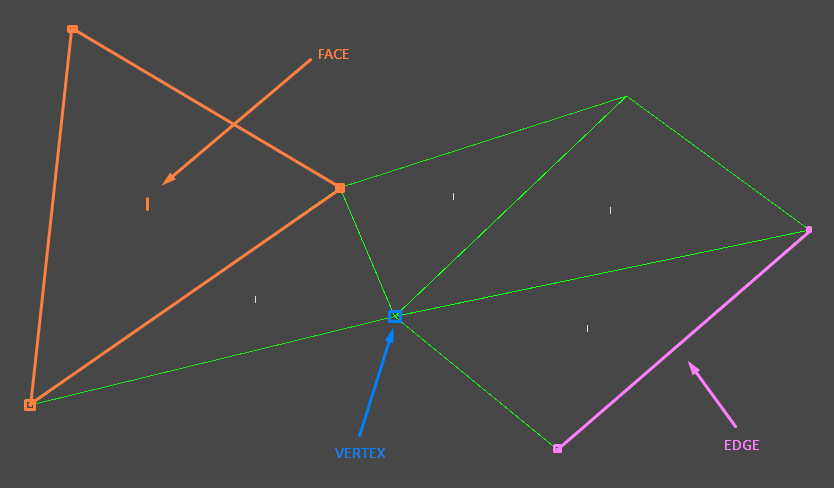
At any time you can schadule faces (simple triangles from your perspective) to be added or removed.
Note
It may take several frames to build larger environments. However, operations are asynchronous and the agents symulate the movement in such a way that you shouldn't experience any lagging.
The process of adding faces introduces the concept of the connection radius (navigation layer settings) - if two vertices are close enough to each other, they are counted as one vertex. Furthermore, if two faces shares two vertices (an edge), then thay are connected. Finally, if faces are connected, agents can find paths between them.
With that in mind, let's consider an example where we add the following triangles (one by one).
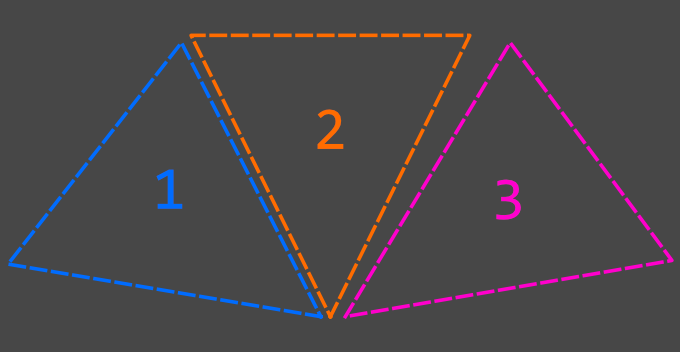
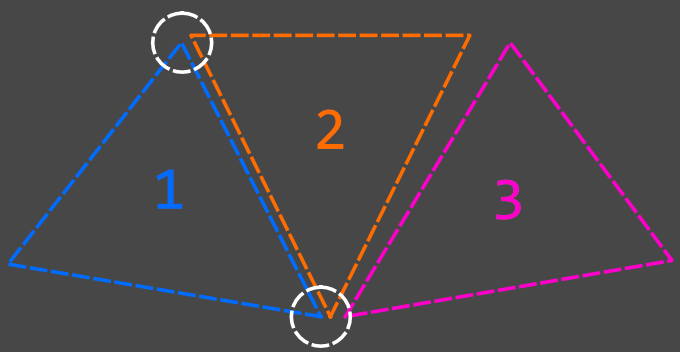
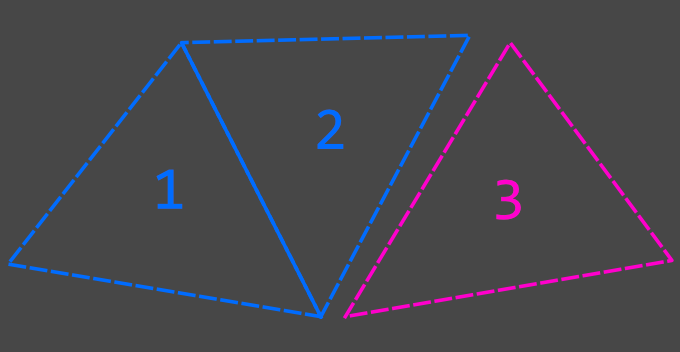
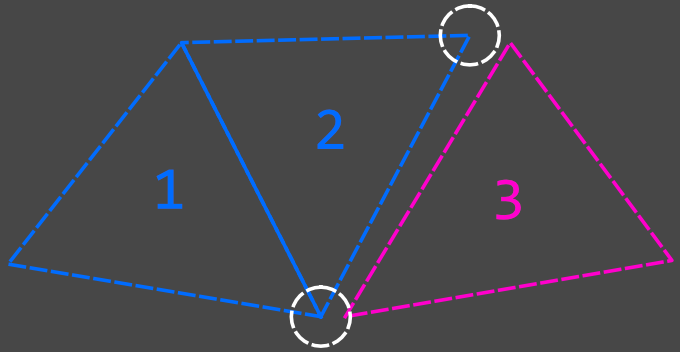
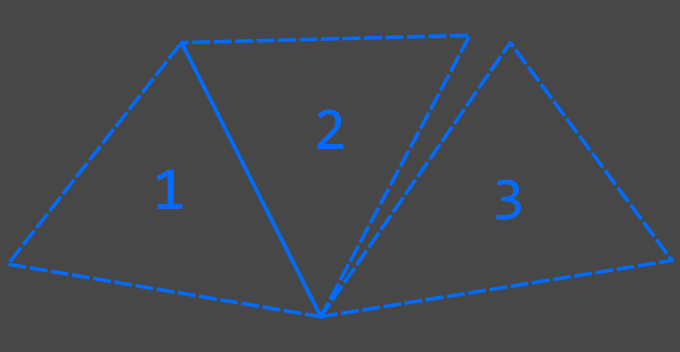
Pay special attention to how the bottom middle vertices are merged. Also note that since faces 1 and 2 share an edge, agents are able to move between them, and for the same reason, they not for faces 2 and 3.